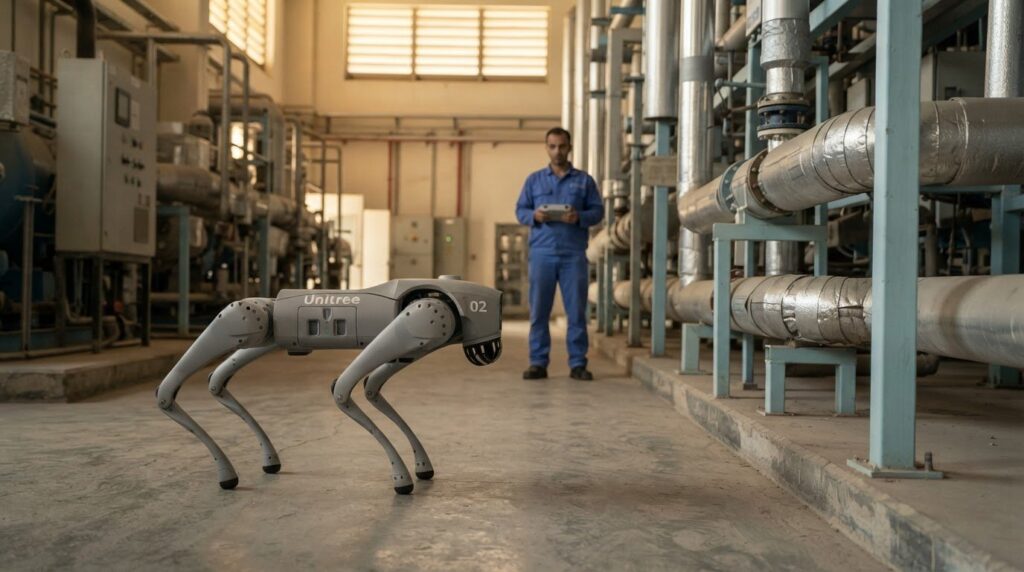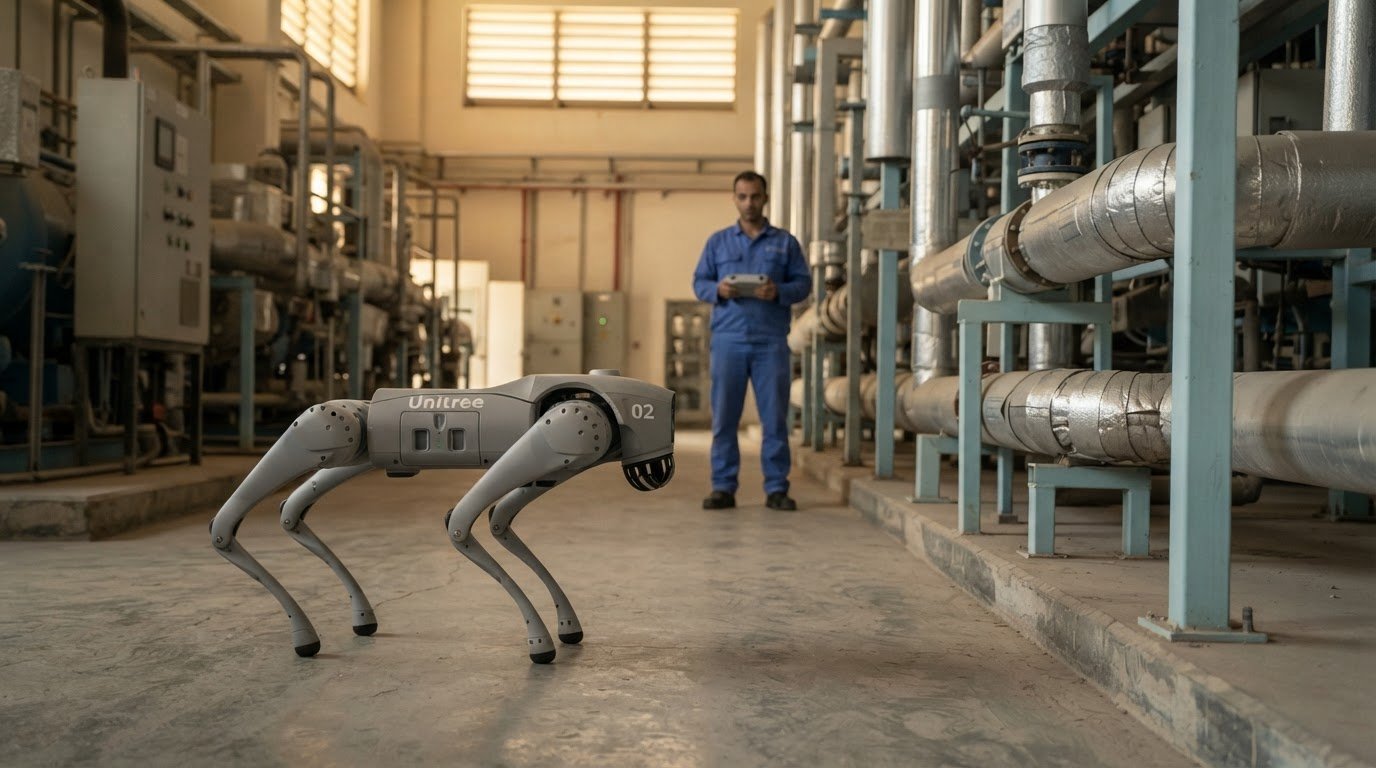
The right quadruped robot is defined less by its form than by how its runtime, footprint and controls fit the work. The Unitree Go2 Robot’s EDU configuration offers about 2-4 hours of battery life, while AIR, PRO and X models offer approximately 1-2 hours per charge. It stands 70 × 31 × 40 cm and weighs about 15 kg with its battery.
These details matter when you’re assessing whether a robot can move around your site and complete the task you have in mind. This guide explains mapping and following, battery options, dimensions and remote-control range, and how each factor affects deployment.
You’ll also see where the Go2 can support commercial operations, and where a broader automation system may be a better fit. The goal is a grounded view of the robot’s capabilities, so you can assess its role against your operating environment and requirements.
Key Takeaways
- Match the battery configuration to the task duration: EDU is listed at about 2-4 hours, while AIR, PRO and X offer approximately 1-2 hours per charge.
- Use the robot’s standing footprint and roughly 15 kg battery-inclusive weight to assess routes, access points and handling needs at your site.
- Factor in the remote-control distance of over 30 m, alongside the PRO model’s Wi-Fi 6 and Bluetooth connectivity, when planning operation.
- Compare UAE purchase options by the warranty coverage and support scope offered, then assess whether a quadruped or another automation format best fits the job.
Battery life and battery options
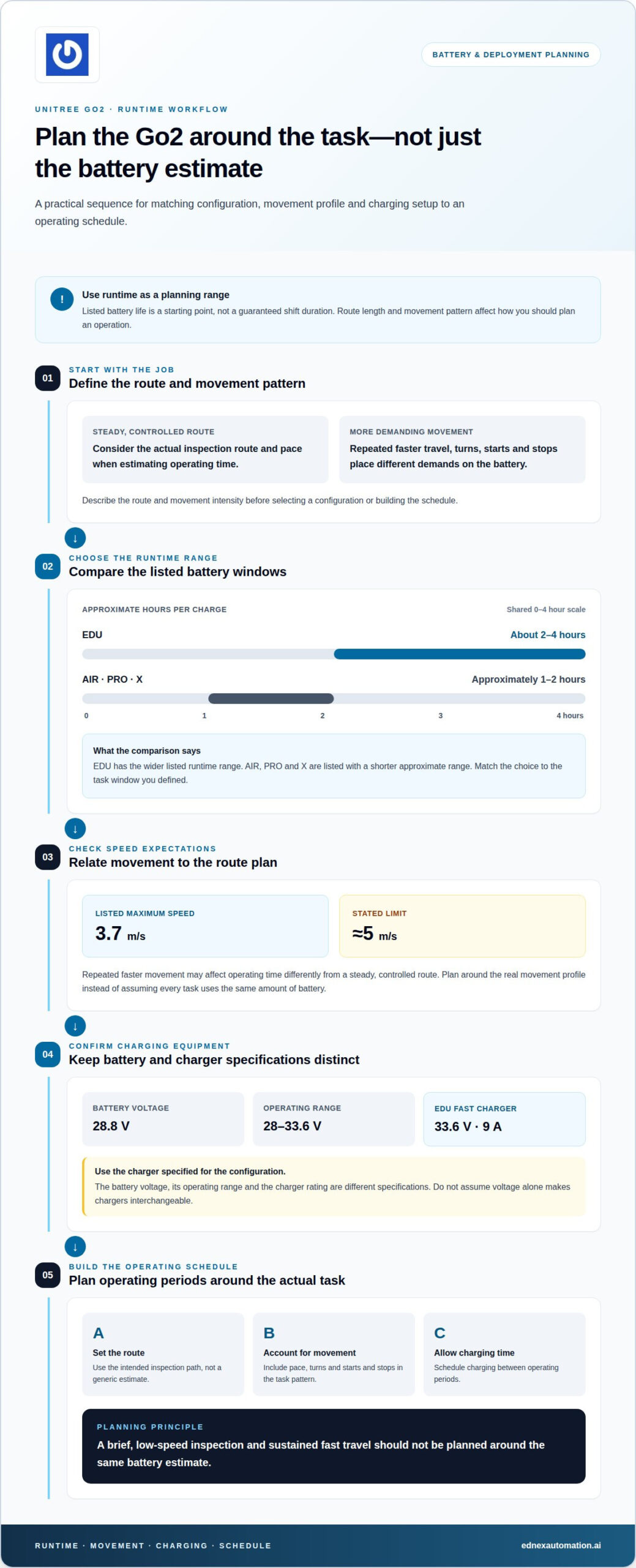
The Unitree Go2 Robot’s battery runtime depends on configuration: EDU is listed at about 2-4 hours, while AIR, PRO and X models offer approximately 1-2 hours per charge. Treat those figures as a planning range, not a guaranteed shift duration. A short inspection route and repeated high-speed movement place different demands on the battery, so match the model to the task pattern.
The battery voltage is 28.8 V, with a stated operating range of 28 V to 33.6 V. For the EDU model, the fast charger is rated at 33.6 V and 9 A. These figures help distinguish the battery’s nominal voltage from its operating range and charger rating. Use the charger specified for the configuration, rather than assuming that voltage alone makes chargers interchangeable.
Speed affects how you should plan each deployment. The Unitree Go2 Robot’s listed maximum speed is 3.7 m/s, with a stated limit of approximately 5 m/s. A task that repeatedly calls for faster movement, turns or starts and stops may consume operating time differently from a steady, controlled route. Build the schedule around the actual route and movement profile, then allow time for charging between operating periods.
- For longer task windows: EDU’s 2-4-hour listing provides a wider runtime range than AIR, PRO and X.
- For shorter operations: AIR, PRO and X are listed at approximately 1-2 hours per charge.
- For charging setup: EDU’s 33.6 V, 9 A fast-charger rating gives a concrete equipment reference.
Before deployment, define the route, movement intensity and operating schedule, then select the configuration around those requirements. For example, a brief, low-speed inspection and a route with sustained fast travel shouldn’t be planned around the same battery estimate. Use the listed runtime ranges as a starting point, and shape the Unitree Go2 Robot work plan around the task profile.
Dimensions, weight and materials
The Unitree Go2 stands 70 × 31 × 40 cm and weighs about 15 kg with its battery. That footprint gives facilities teams a practical starting point for checking aisle access, doorway clearance and storage space. Measure the narrowest route, including turns, rather than relying only on open-floor dimensions. When crouched, the robot measures 76 × 31 × 20 cm, a distinct profile to consider for transport and storage.
How does it compare with the Go1 and other quadrupeds? The Go2’s dimensions and weight provide a baseline, but a useful comparison also weighs material, task requirements and handling needs. Compare each candidate’s standing and folded profiles, then assess whether it can access the routes and work areas in your facility.
What are the UAE rules for importing and operating a quadruped robot like the Unitree Go2? Treat import and operation as separate planning steps: product classification and intended use shape the import assessment, while the site and activity shape the operating assessment. Define the robot’s function and deployment location before planning either step.
Configuration matters: the Go2 Pro weighs 16 kg and uses an aluminum alloy and engineering plastic body. That is a separate model-specific figure from the approximately 15 kg battery-inclusive weight listed for the Go2. For handling plans, account for the full robot, its battery and the space needed to turn or reposition it. Material composition also helps describe the Pro’s construction without implying a particular impact or weather rating.
- Route fit: Compare the 70 × 31 × 40 cm standing profile against access points and turning areas.
- Storage: Use the 76 × 31 × 20 cm crouched dimensions to plan transport and storage.
- Handling: Include the battery-inclusive mass, or the Pro’s stated 16 kg weight, in movement planning.
Mapping these measurements against the intended route can clarify whether the quadruped fits your operating environment. For broader robot deployment planning, consider how its footprint compares with the requirements of your automation task.
Wireless connectivity and remote control
The Unitree Go2’s remote-control distance is over 30 m, giving operators room to guide movement from a separated position. Treat this as a planning reference, then test control from the intended operating point. Walls, equipment and the route layout can affect how well a wireless link works across a facility.
The Go2 Pro supports Wi-Fi 6 and Bluetooth connectivity. These are distinct wireless options to account for when planning device connections and operator workflows. Before deployment, identify where the operator will work, which connection the setup requires, and whether the robot remains controllable along the route. A site test can expose dead zones before routine operation begins.
Camera details vary by configuration. The Go2 head camera has a 120° field of view, while the Go2 Pro camera records at 720p and 30 frames per second. Field of view describes how much of the scene the camera can capture; resolution and frame rate describe recorded image detail and motion. Those specifications help assess visual monitoring needs, but they don’t alone establish suitability for every inspection task.
LiDAR and cameras serve different sensing functions: cameras capture images, while LiDAR measures distances to surrounding objects. If your mapping workflow depends on LiDAR, assess the sensor configuration and whether it supports the routes you need. Don’t assume a camera specification also describes LiDAR capability. Match the sensing setup to the task, whether that involves visual observation or distance-based mapping.
- Set the control point: Plan around the stated distance of over 30 m, then test from the actual operator location.
- Plan connectivity: Include the Go2 Pro’s Wi-Fi 6 and Bluetooth options in the connection workflow.
- Match sensing to the task: Use camera specifications for visual needs and assess LiDAR separately for mapping requirements.
For example, a facility route with walls and equipment calls for a practical control test, not distance alone. Record the operator location, connection used and sensing requirement before setting the workflow. This makes the Go2’s connectivity and camera specifications useful inputs to deployment planning.
Where can I buy the Unitree Go2 in the UAE, and what warranty and support are available?
For a UAE purchase, start by defining the required Go2 configuration and intended commercial task. Ask for the model name, included components, delivery scope and warranty terms to appear clearly in the transaction documents. This gives procurement and operations teams one reference for the unit being ordered, rather than relying on a model label alone.
Warranty and support depend on the written terms attached to the specific purchase. Review the coverage period, covered components, exclusions, battery treatment, repair process and support channel before approving the order. For example, if the Go2 will be used for repeated site inspections, battery coverage and repair arrangements may be as operationally important as the robot’s hardware coverage.
Keep product support and deployment planning separate. A warranty describes covered faults and remedies, while operational support may include setup, troubleshooting or maintenance. Document who handles each activity, how to submit a support request, and what information the team should provide, such as the model and a description of the fault. Clear responsibilities help operations teams in the UAE route issues efficiently.
- Specify the configuration: Record the selected Go2 model and every component included in the order.
- Read coverage terms: Identify the duration, covered parts, exclusions and battery treatment.
- Define support: Note the service channel, responsibility for repairs and information needed to report an issue.
- Plan deployment: Align the purchase documentation with the robot’s intended task and operating environment.
For a commercial automation plan, connect the equipment decision to the wider workflow, including task ownership and support arrangements. Discuss robot deployment requirements to explore how automation can fit your operation.
EdNex Automation: Collaborative Robots (Cobots)
EdNex Automation helps businesses in the UAE assess whether Collaborative Robots (Cobots) are a better fit for a task than a quadruped robot. If your priority is automating work alongside existing production processes, a cobot may be more relevant. For moving goods between locations, Autonomous Mobile Robots (AMRs) or delivery robots may fit the workflow. Cleaning robots address a different operational need.
Start with the job: identify the task, the working environment and how the system must fit into current operations. Then compare robot types against the outcome you need, rather than choosing by form factor alone. EdNex Automation supplies and deploys robotic solutions for commercial and industrial applications across the UAE.
Contact EdNex Automation to discuss the automation approach that best fits your operation.
Turn robot selection into an operational plan
Choosing a Unitree Go2 Robot is only one part of an automation decision. The next step is to define the work it must perform, the environment it must navigate, and how operators will use its output. A clear task definition helps distinguish a quadruped platform from other automation formats and keeps the evaluation focused on operational fit.
For different operational needs, EdNex Automation offers Collaborative Robots (Cobots), Autonomous Mobile Robots (AMRs) and cleaning robots. Each category serves a distinct role, so compare options by the process you want to improve, not by the robot’s appearance. Consider how the system will fit existing tasks and support your wider automation roadmap.
Build the next step around your operating priorities and the role automation should play. Explore automation options with EdNex Automation and take a considered next step toward a more capable operation.
Frequently Asked Questions
What safety risks and operating limitations should owners know about?
Plan around the robot’s operating limits, and don’t treat mobility as proof of autonomous hazard response. The Go2 has operating limits for temperature, obstacle height and slope, so assess route conditions before use. These capabilities don’t replace route assessment or supervised testing. The Go2 Pro cannot perform inspections or patrols that perceive situations and respond accordingly, so don’t assign it that role.
How does the Unitree Go2 compare with the Unitree Go1 and other quadruped robots?
The Go2 provides a comparison baseline of 70 × 31 × 40 cm standing and about 15 kg with its battery. Compare those dimensions and its handling needs with each robot’s standing and folded profiles, materials and task requirements.
What are the UAE rules for importing and operating a quadruped robot like the Unitree Go2?
Assess importing and operating the robot separately: product classification and intended use shape the import assessment, while the deployment site and activity shape the operating assessment. Define the robot’s function and location before planning either step.
How do you set up and control the Unitree Go2, and which apps or programming tools does it support?
Plan the operator’s control point around the remote-control distance of over 30 m, then test control along the intended route. The Go2 Pro supports Wi-Fi 6 and Bluetooth.