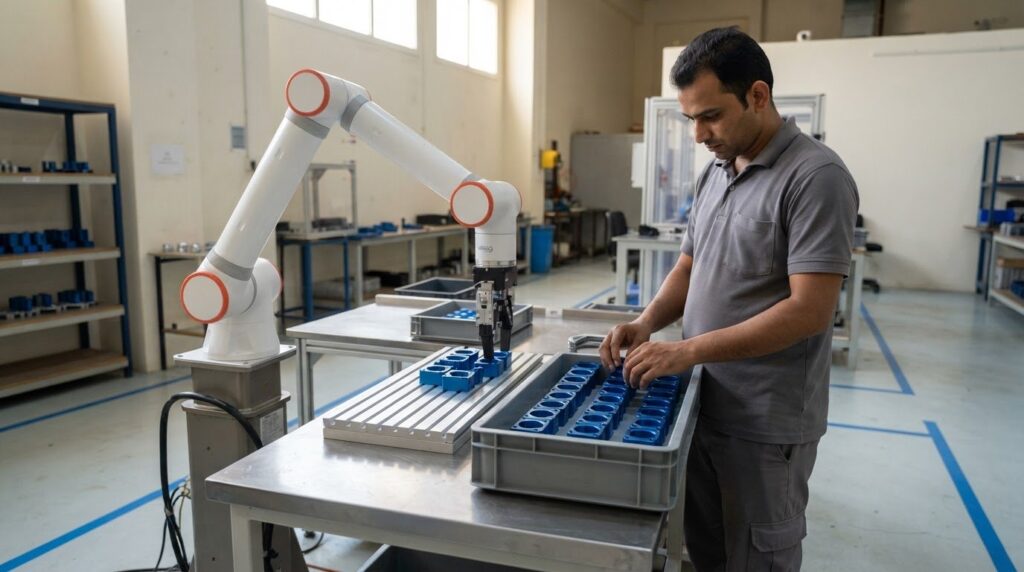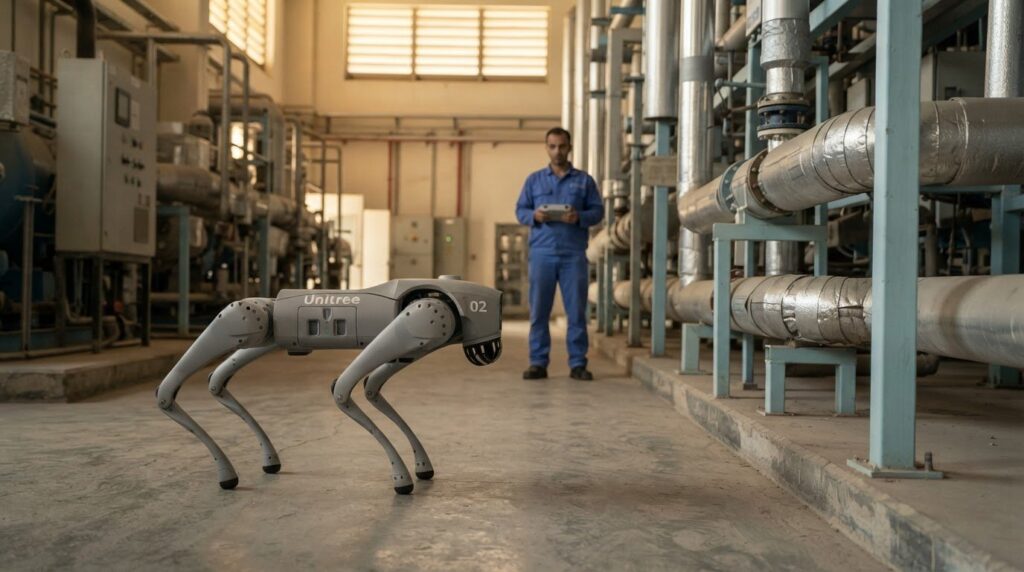
The loudest request should not automatically come first. Prioritize post-implementation support for automation by operational impact and urgency: restore blocked work first, then address incidents according to agreed service-level targets, followed by recurring faults, user difficulties, and improvement requests. This practical order avoids treating every ticket as equally urgent.
After go-live, teams often face a mix of technical faults, questions, and requests to refine how a system works. Clear incident priorities help protect operations, while user feedback and system evidence show which changes are likely to deliver lasting value.
This guide explains how to assess severity and urgency, apply service-level agreements, and rank requests using feedback, documentation reviews, and system needs. It also explains how support priorities can change throughout the post-go-live lifecycle, as teams move from immediate stabilization to dependable, ongoing improvement.
Key Takeaways
- Rank requests by operational impact and urgency, separating work-blocking incidents from routine improvements.
- Use agreed service-level targets to guide response and resolution, then confirm fixes with the business process owner.
- Review user feedback and system documentation regularly to uncover recurring problems, training needs, and outdated procedures.
- Plan support as a lifecycle, moving from go-live stabilization toward knowledge transfer and continuous system improvement.
1. Documentation review cycles and user feedback
Keep automation procedures aligned with the system people actually use. Review documentation quarterly or after major system updates, checking operating instructions, escalation paths, troubleshooting steps, and system changes. After an integration update, for example, confirm that process diagrams and operator instructions still match the live workflow. Version control and a change log help staff find current guidance and trace revisions.
Monitor performance from the first day of operation, recording task completion, stoppages, manual interventions, and recurring faults. To measure return on investment, compare these results with the pre-deployment baseline, then weigh operational benefits against implementation and ongoing support costs. Review trends alongside user feedback so improvements reflect actual performance rather than assumptions.
Connect evidence to action. ETSI describes three stages: monitoring, execution, and analysis and decision making. Apply this approach by reviewing performance records, assigning an owner to each corrective action, and assessing whether the change addressed the problem. Record the outcome in the change log to create a clear trail for future reviews and support decisions.
User feedback can help distinguish technical faults from adoption barriers. Ask operators where a workflow slows down, which alerts cause confusion, and what assistance they need. If staff repeatedly bypass an automated step, investigate whether instructions, training, or system behavior contributes to the problem. Track the issue, response, and user follow-up to see whether the change is accepted.
Use training and documentation together. When a procedure changes, update its instructions and show affected users how the revised process works. A short walkthrough of a revised control sequence, for example, can help operators use the documentation effectively. Collect questions during the session and add recurring answers to the relevant guide. This makes post-implementation support for automation more responsive and keeps knowledge accessible across shifts.
2. Service-level agreements and incident priorities
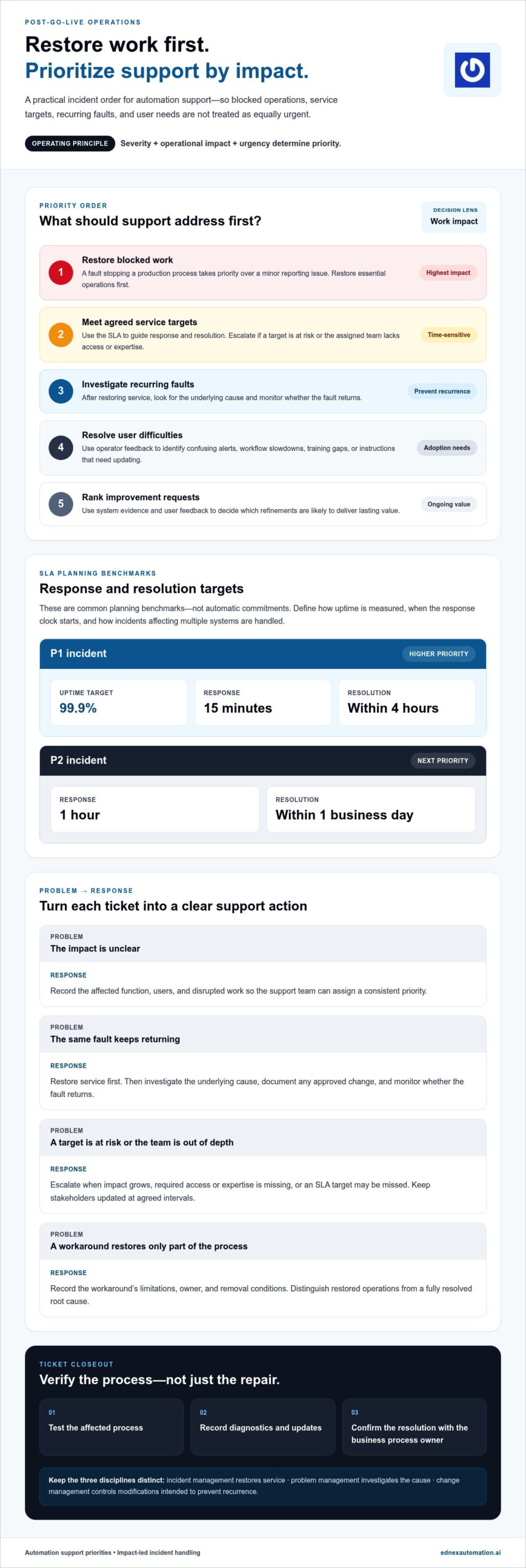
A service-level agreement (SLA) turns operational expectations into measurable response and resolution targets. Set priorities based on severity, operational impact, and urgency, or how quickly action is needed. A fault stopping a production process, for example, should rank above a minor reporting issue. Record the affected function, users, and disrupted work so the support team can assign a consistent priority.
Common post-go-live SLA targets include 99.9% uptime and a 15-minute response time for P1 incidents, with resolution within 4 hours. For P2 incidents, common targets are a 1-hour response time and resolution within 1 business day. Treat these as planning benchmarks, not automatic commitments: define how the agreement measures uptime, starts the response clock, and handles incidents affecting multiple systems.
IT service management (ITSM) tools help route incidents, record ownership, and track progress against targets. For each ticket, capture when it was reported, its operational impact, diagnostic steps, and subsequent updates. A software fault that stops a process may need immediate technical investigation, while a recurring delay may require analysis beyond the initial repair. Close a ticket only after testing the affected process and recording the resolution.
Keep incident, problem, and change management distinct. Incident management restores service; problem management investigates the underlying cause; change management controls modifications intended to prevent recurrence. If the same sensor fault repeatedly interrupts a line, restore operations first, then investigate the recurring cause. Document any approved system change and monitor the result to see whether the fault returns.
Escalate when the impact grows, the assigned team lacks the required access or expertise, or an SLA target is at risk. A temporary workaround can restore essential work, but record its limitations, owner, and removal conditions. For example, a manual operating step may bridge a software fault while engineers investigate. Keep stakeholders updated at agreed intervals, and distinguish restored operations from a fully resolved root cause.
4. Post-implementation support definition and lifecycle
Post-implementation support begins when a system enters production and continues as operational ownership transfers to the support team. Plan the handover before go-live, transferring system knowledge, escalation paths, and operating procedures. Then stabilize the system, address recurring issues, and define when the implementation team can step back. A dedicated hypercare period after go-live focuses attention on early operational problems.
Vendor support brings product or system expertise, while in-house support understands local workflows and operational priorities. A practical model assigns routine monitoring and user coordination to internal teams, with specialist faults escalated to the vendor. For example, an internal technician can identify a recurring equipment stoppage and provide diagnostic records for further technical investigation.
Ongoing maintenance should include reviewing alarms and performance records, checking equipment condition, testing recovery procedures, and applying controlled system updates. For an automated storage and retrieval system, teams can review repeated stoppages, confirm operating instructions remain accurate, and log corrective work. Set the maintenance schedule according to operating conditions, system dependencies, and the impact of an interruption.
In the UAE, automation support can create cybersecurity and data privacy risks if remote access, user accounts, or operational records are poorly controlled. Limit access to approved roles, protect credentials, record remote sessions, and review access when responsibilities change. For example, an account used during commissioning should not remain active without a defined operational need.
4. What does post-implementation support for automation include?
A complete support model combines monitoring, troubleshooting, documentation, user guidance, and planned system upkeep. Start monitoring and alerting on the first day of operation so teams can detect abnormal behavior before it interrupts a critical workflow. ETSI notes that intent-based management systems may be tested periodically after deployment to validate their intended behavior.
Hypercare commonly lasts 1-3 months immediately after go-live. Use this period to observe real operating conditions, resolve minor glitches, and distinguish isolated faults from recurring patterns. Each issue record should capture the affected component, operational impact, diagnostic evidence, action taken, and user confirmation. These details help the support team identify process weaknesses and track whether corrective work addressed them.
Assign clear roles across the support team. Subject matter experts can guide colleagues through new workflows, while development and infrastructure teams investigate complex technical faults. An interface lead coordinates communication, routes requests, and keeps business and technical teams aligned. For example, a warehouse operator reporting a failed automated task needs a clear path from initial triage to specialist investigation.
Match communication to the audience and pace of operations. Use informative emails for system-wide updates, regular management check-ins for status and risks, and business-line meetings to surface workflow impacts. Daily technical stand-ups can review open issues, owners, and next steps. Keep updates concise, with every action linked to a responsible person and an operational outcome.
Maintain current troubleshooting guides, system records, and training materials as operating procedures evolve. For an automated storage and retrieval system, document recurring fault symptoms and the approved recovery steps, then use staff questions to improve the guide. This turns post-implementation support for automation into an ongoing operational capability, rather than a temporary response to go-live issues. Explore automation system options when planning support around a new deployment.
EdNex Automation: Collaborative Robots (Cobots)
EdNex Automation offers Collaborative Robots (Cobots) for workplaces evaluating automation that can operate alongside people. Consider cobots when a defined task, such as repetitive handling or assembly, could benefit from a robotic solution and your team is planning post-go-live support. Autonomous Mobile Robots (AMRs), cleaning robots, and delivery robots are other options for different operational needs.
Before deployment, map the task, the teams involved, and the system’s role in the wider workflow. This gives your organization a practical foundation for setting priorities, maintaining clear operating procedures, and collecting useful feedback once the system is in use. Explore how a cobot could fit your operation, then contact EdNex Automation to discuss your requirements.
Build support into your next automation decision
Go-live is not the finish line; it is when automation meets real operating conditions. Treat support planning as part of the next investment decision, aligning system goals with ownership, user readiness, and a process for learning from operational feedback. This discipline helps teams adapt their support model as workflows change.
For organizations in the UAE assessing future deployments, EdNex Automation offers Collaborative Robots (Cobots), Autonomous Mobile Robots (AMRs), and cleaning robots. Each option addresses a different operational task, so start with the workflow your team wants to improve and consider how ongoing support will fit into daily operations. Effective post-implementation support for automation connects the chosen system to clear operational ownership and continuous learning.
Explore a practical next step for your automation plans with EdNex Automation’s automation solutions. A focused evaluation can help your team move forward with greater clarity and purpose.
Frequently Asked Questions
How do you prioritize requests after a go-live?
Rank each request by its effect on essential operations, the number of workflows affected, and whether a safe workaround is available. A fault preventing order processing, for example, takes precedence over a display issue that leaves transactions intact. Then consider whether the problem is spreading, recurring, or tied to a time-sensitive business activity. Reassess priorities as new evidence changes the operational impact.
How long should automation implementation support last?
Plan a dedicated hypercare period of 2-8 weeks after go-live, then continue support as part of normal operations. The broader post-go-live support period commonly spans 1-3 months immediately after launch. For example, a new warehouse workflow may need close early monitoring, followed by ongoing maintenance and knowledge transfer. Set exit criteria based on stable operations, resolved critical issues, and clear ownership.
What service levels and response times should automation support agreements include?
Define priority categories, response targets, restoration or workaround targets, and resolution targets separately. Specify when the response clock starts, which operating hours apply, and how updates reach affected teams. For example, an agreement could require an acknowledgement first, a safe workaround next, and a root-cause fix afterward. Include escalation contacts, incident evidence requirements, and a process for reviewing missed targets.
How do you troubleshoot common automation failures and integration issues?
Start by recording the fault message, affected equipment, recent changes, and steps to reproduce the issue. Before changing configuration, check power, network communication, sensor status, and relevant interface logs. For an integration failure, trace one transaction across connected systems to find where data stops or changes. Apply an approved workaround if needed, document each test, and verify normal operation with the process owner.
What are typical costs for automation support and maintenance in the UAE?
Post-implementation support typically costs 50-70% of an IT system’s original development cost over its lifetime.