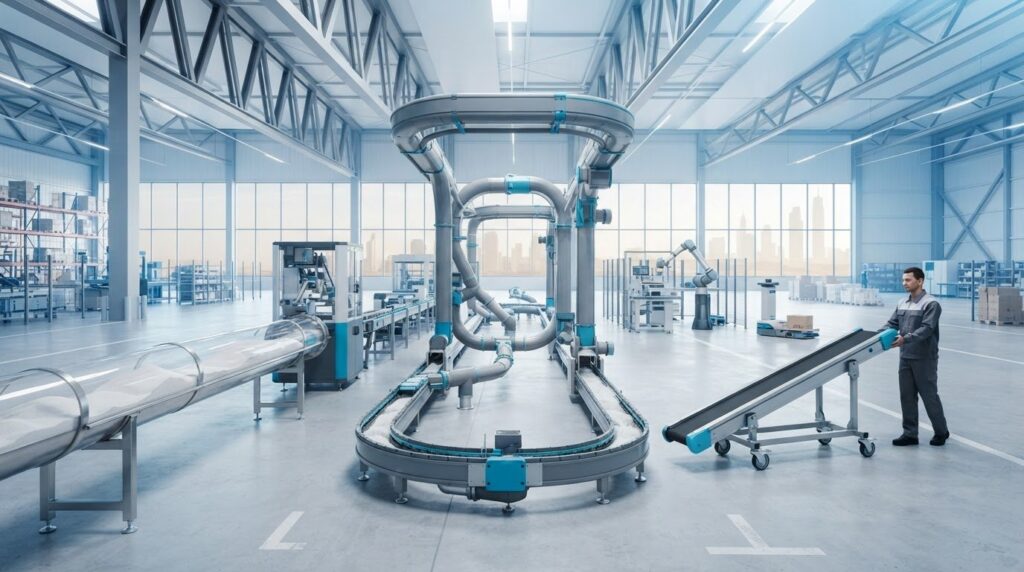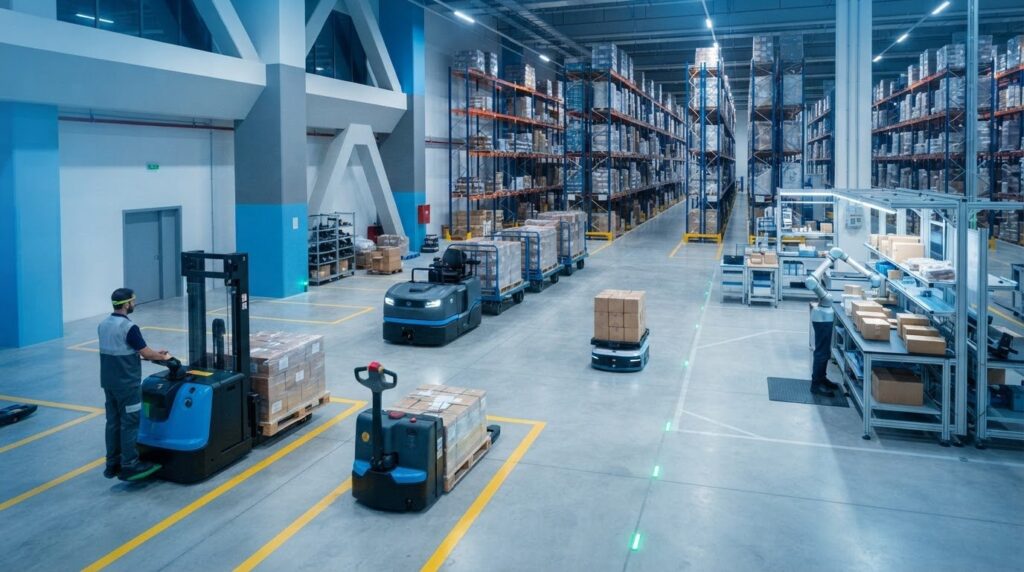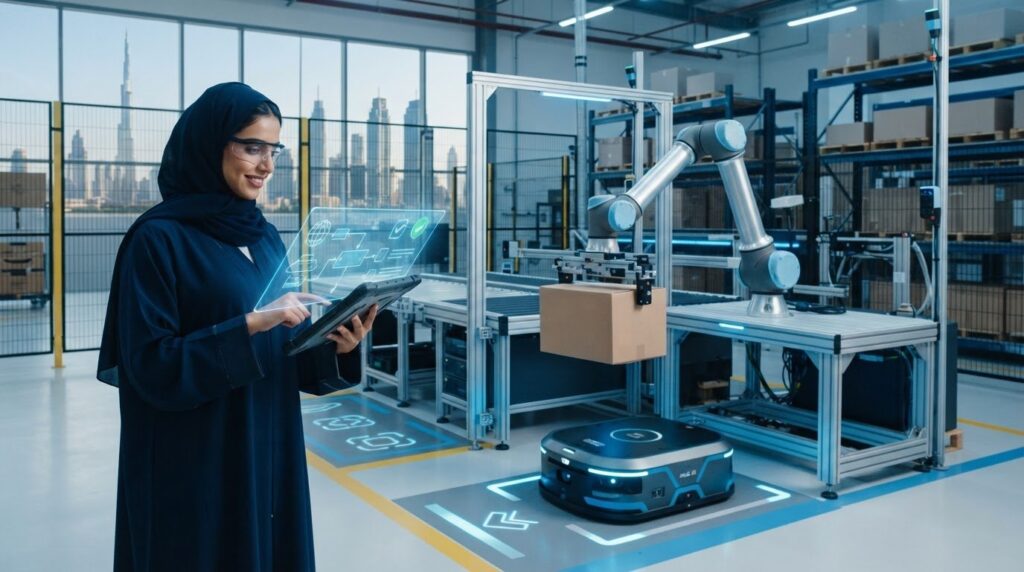
Automation isn’t automatically the right next step for every warehouse. The better choice in manual vs automated inventory management depends on where work slows down and why. If stock records don’t match what’s physically available, or staff spend time repeating checks and updates, improving the workflow may matter more than choosing a technology label.
It’s reasonable to treat automation as a significant operational decision. New systems can affect people, processes, and existing infrastructure, so establish the operational case before choosing technology. This guide compares manual and automated workflows, explains their practical trade-offs, and helps you assess whether your operation is ready for a change.
You’ll also learn how to identify a specific constraint, measure whether addressing it could improve inventory operations, and plan a staged path forward. Physical solutions such as automated storage and retrieval systems or autonomous mobile robots can complement inventory processes, but not every task needs to be automated at once.
Key Takeaways
- Compare manual vs automated inventory management by how each approach handles stock visibility, recording effort, exceptions, scalability, and oversight.
- Trace how inventory events move from physical activity to system records and human review, distinguishing digital recordkeeping from automated equipment.
- Map stock movements, exceptions, handoffs, and system dependencies to establish a practical baseline before changing workflows.
- Define the operation’s specific constraint first, then scope options such as ASRS, robotics, or control-system integration around the documented workflow.
Manual vs. automated inventory management: what changes in daily operations?
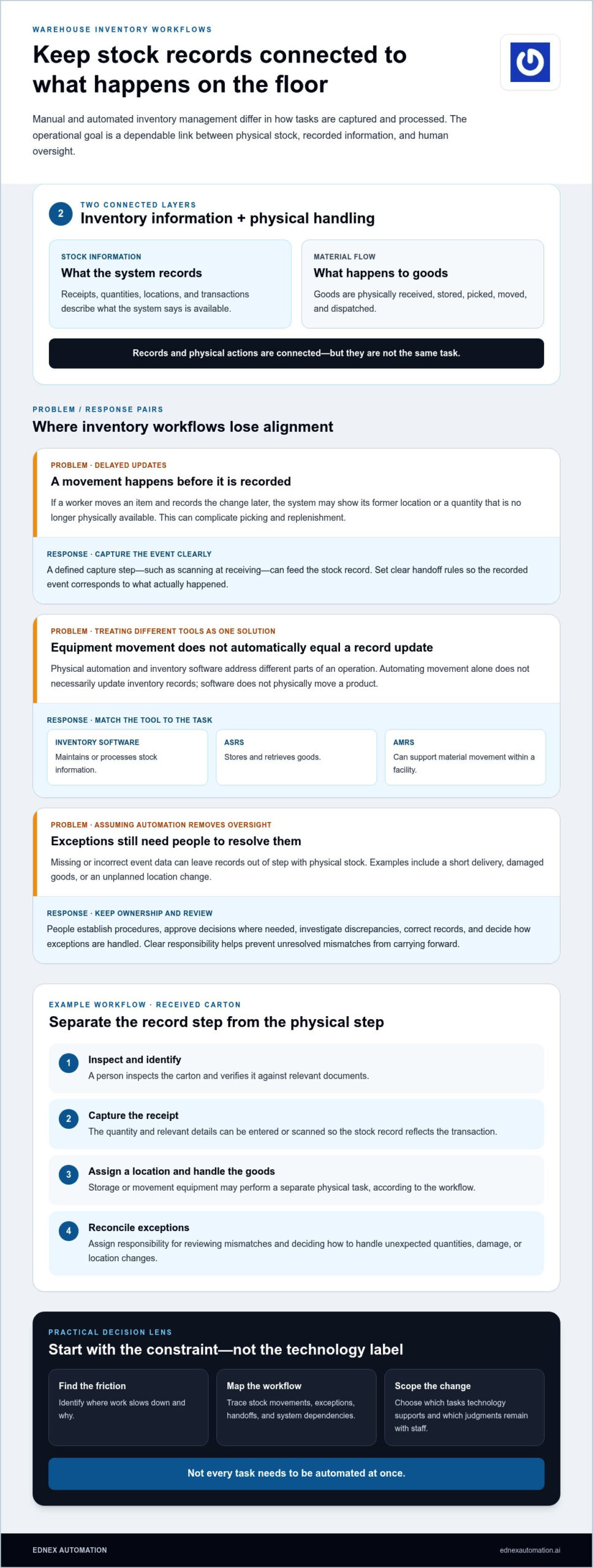
Manual inventory management relies on people to record, check, and reconcile stock according to established procedures. Automated inventory management uses technology to capture or process selected inventory events and may also use equipment to store, retrieve, or move goods. In either approach, inventory records describe what the system says is available, while warehouse operations cover the physical actions that receive, store, and move stock. These activities are connected, but they aren’t the same.
What does manual inventory management involve?
A manual process breaks stock control into tasks. Staff receive goods and verify them against relevant documents, record quantities and locations, update stock records after movements, count inventory, and reconcile differences between recorded and observed amounts. Paper forms or spreadsheets can support a small, stable workflow when transaction volumes are manageable and updates are entered consistently.
Timing is often a weak point. If a worker moves an item but records the change later, the system may show stock in its former location or list a quantity that’s no longer physically available. That gap can complicate picking and replenishment, even when staff follow the intended procedure. This Inventory Management Overview explains the broader role of managing stock; the practical details depend on how each operation handles its goods.
What does automated inventory management change?
Technology can capture or process an event as it happens within a defined workflow. For example, a scan at receiving can record an item’s arrival, while a system may process a stock movement after an authorised transaction. Automation can reduce reliance on later manual entry for selected tasks, but the result depends on what the system captures and how the workflow is configured.
Separate the digital record from the physical action. Inventory software maintains or processes stock information. Equipment such as an automated storage and retrieval system (ASRS) stores and retrieves goods, while autonomous mobile robots can support material movement. These technologies address different parts of an operation and can be integrated where the workflow calls for it. Automating physical movement alone doesn’t necessarily update inventory records, just as software doesn’t physically move a product.
Consider a received carton. A person may inspect it, record its quantity, and assign a storage location manually. In a technology-supported workflow, a defined capture step can feed the stock record, while storage or movement equipment performs a separate physical task. Set clear rules for each handoff so the recorded event corresponds to what actually happened.
Automation doesn’t remove human responsibility. People still establish procedures, approve decisions where needed, investigate discrepancies, and resolve exceptions such as damaged goods or unexpected quantities. In the manual vs automated inventory management decision, the key question is which tasks technology supports and which judgments remain with staff. The operational goal is a dependable connection between physical stock, recorded information, and human oversight.
How automated inventory management connects records, storage, and material flow
Inventory automation involves two connected layers: information about stock and the physical handling of goods. Inventory data describes what was received, where it is recorded, and which transactions have occurred. Material flow describes how items move between receiving, storage, picking, and dispatch. Coordinating these layers depends on clear process rules and suitable system interfaces.
Where inventory data is captured and maintained
Consider a delivery arriving at a warehouse or retail facility. A worker may scan a barcode or enter item details into a system to record the receipt and relevant quantity. The inventory record can then show the transaction and current stock status. Similarly, in retail environments where shelf inventory and pricing require continuous coordination, providers like ESLtags, Corp. offer electronic shelf labels to keep shelf-edge data aligned with backend inventory systems. These are examples of possible workflows, not a requirement to use the same tools or data fields in every operation.
In a perpetual inventory approach, records are updated as transactions are captured rather than only during periodic counts. The Perpetual Inventory Systems and Automation reference from ASCM provides context for this method. Its value depends on consistently capturing each relevant stock movement. Missing or incorrect event data can still leave records out of step with physical stock.
Reconciliation remains an important control, not an automatic cure. Assign responsibility for reviewing mismatches, correcting records, and deciding how to handle exceptions such as a short delivery, damaged goods, or an unplanned location change. Clear ownership helps prevent unresolved discrepancies from carrying forward into the next transaction.
Where ASRS and robotics fit in the warehouse
An automated storage and retrieval system (ASRS) is a physical automation category for storing and retrieving goods. Autonomous mobile robots (AMRs) are a separate category that can support material movement within a facility. Neither is inventory software: equipment handles physical tasks, while software maintains or processes stock information. Depending on the design, systems may exchange information so recorded tasks and physical movements align.
For example, an operation might use an ASRS to store and retrieve items while a separate process updates inventory records when goods are placed into or removed from storage. Without defined procedures or system interfaces linking those steps, the physical task and the record update can diverge. Integration requirements should reflect the operation’s chosen systems, transaction rules, and exception paths.
The practical implication for manual vs automated inventory management is that automating one layer won’t necessarily resolve constraints in another. If the bottleneck is material movement, robotics or storage automation may be relevant. If the core issue is delayed transaction capture, the process for recording events may need attention first. EdNex Automation provides consulting, deployment, and integration to scope physical automation around a documented workflow. Explore warehouse automation integration as part of that assessment.
Manual vs. automated inventory management: compare the operational trade-offs
The right choice in manual vs automated inventory management depends on the work that needs to change, not on whether a process is labelled “modern.” Manual procedures, inventory software, and physical automation solve different problems. The comparison below separates recordkeeping tools from equipment that handles goods, so you can assess each layer on its own merits.
| Operational factor | Manual process | Software automation | Physical automation |
|---|---|---|---|
| Visibility | Stock status depends on completed checks and timely updates. | Records may update as transactions are captured, subject to process design and data quality. | Equipment handles physical tasks; visibility into those tasks depends on how they connect to records and operating procedures. |
| Recording effort | People enter, check, and reconcile transactions. | Capture or processing steps may reduce repeated entry for selected events, but configuration and exception work remain. | Automated storage or movement can change handling tasks, but doesn’t maintain stock records by itself. |
| Exception handling | Staff identify and investigate discrepancies using established procedures. | Systems can apply defined transaction rules, while people still review and resolve exceptions. | Unexpected conditions may require an operational response and clear escalation procedures. |
| Scalability | Additional volume can increase counting and update demands, depending on workflow complexity. | Capacity to support more transactions depends on system design and integration. | Suitability depends on the movement or storage constraint, facility workflow, and project scope. |
| Oversight | Supervisors monitor adherence to procedures and review records. | People oversee system rules, data quality, and unresolved transactions. | People coordinate equipment within warehouse procedures and retain operational oversight. |
Which operating conditions favour manual processes?
Manual controls may suit operations with limited transaction volume, a stable product range, and straightforward stock movements. They can be practical when one team can follow a consistent process without complex handoffs. Their effectiveness still relies on clear instructions, timely updates, and disciplined stock checks. There’s no universal transaction threshold at which manual work becomes unsuitable. The deciding factor is whether the process continues to meet operational needs.
When can automation address a meaningful constraint?
Evaluate automation when frequent handling, complex material flow, or recurring bottlenecks put pressure on a specific workflow. Software may address repeated transaction capture, while ASRS or robotics may be relevant to physical storage, retrieval, or movement. Each option brings integration and change-management work, including procedure updates and clear staff responsibilities. Compare that effort with the process issue being addressed rather than assuming technology will make the operation more accurate or economical.
For example, a warehouse handling a stable range through a simple receiving and storage route may find disciplined manual records fit for purpose. A similar operation with several handoffs and repeated movement delays may have a different case for change. If records are entered late, equipment alone may not address the underlying issue. If movement is the constraint, a software change alone may not resolve it. Match the intervention to the measured cause.
How to assess inventory automation readiness before changing workflows
Readiness isn’t just a technology decision. Before changing a stock process, establish how work moves through your operation, where records or material flow break down, and what a proposed change must connect to. This sequence shifts the discussion from “Should we automate?” to a documented assessment of what needs to improve and how a solution would fit.
- Map the current workflow. Trace goods through receiving, storage, retrieval, and dispatch as those activities happen in your facility. Record stock movements, team handoffs, manual touchpoints, exception types, and the systems used at each step. Don’t assume every product follows the same route.
- Establish a baseline. Document current performance before proposing a change. Depending on your operation, useful measures may include stock discrepancies, order accuracy, stockout frequency, the time between a physical movement and its record update, or time spent resolving exceptions. Choose measures that reflect the workflow under review and track them consistently.
- Define the constraint. Identify the specific problem behind the automation discussion. Is it delayed transaction entry, repeated handling, a difficult storage-and-retrieval process, or a handoff that creates recurring delays? Separate the observed cause from its symptoms so the proposed change targets the right part of the operation.
- Scope options and dependencies. Compare possible changes with the documented constraint. List the affected teams, systems, physical routes, data exchanges, and exception procedures. A limited scope, such as one workflow or material flow, can clarify integration needs and operational requirements before considering a broader change.
Map the current workflow and establish a baseline
Build the map with the people who perform and oversee each task, then note where responsibility passes from one person or system to another. Include routine transactions and exceptions, such as a quantity mismatch or an item placed in an alternate location. Record existing errors, delays, and manual updates without assuming that any single measure tells the whole story. A credible baseline makes later comparisons more useful.
Define scope, integration needs, and change ownership
Once the constraint is clear, define what a proposed automation should address and what it should leave unchanged. Identify dependencies on existing inventory, warehouse, or control systems, along with the teams affected by each handoff. Assign ownership for procedures, staff training, exception resolution, and ongoing review. Clear governance helps people handle edge cases instead of relying on informal workarounds.
For physical workflows, project scoping can align options such as ASRS, autonomous mobile robots, and PLC or SCADA integration with documented operational needs. EdNex Automation provides consulting, deployment, integration, and ongoing support for industrial automation projects. Discuss your warehouse automation requirements with a team that can help scope an approach around your workflow.
Connect inventory goals to warehouse automation and an implementation partner
The right next step follows from your documented constraint, workflow map, and readiness findings. If the issue is inaccurate or delayed records, review the capture and system processes involved. If goods are difficult to store, retrieve, or move through the facility, assess physical automation for those activities. In manual vs automated inventory management, the objective isn’t to automate by default. It’s to align the intervention with the operational need.
Match physical automation to the inventory workflow
Automated storage and retrieval systems (ASRS) address the physical storage and retrieval of goods. Autonomous mobile robots support material movement, a distinct task that may involve different routes, handoffs, and operating requirements. Scope should reflect the site’s processes, the goods being moved, and how proposed equipment connects with existing systems. This automated storage and retrieval systems guide can help teams understand where ASRS fits within a warehouse design.
Before selecting a solution, map the relevant material flow from its starting point to its destination. Identify where a physical task begins and ends, what information needs to accompany it, and which team owns the handoff. This definition keeps project scope tied to the documented workflow rather than expanding around technology features that don’t address the constraint.
Plan integration as part of the wider operation
Warehouse automation sits within a larger operating environment. Control systems, existing processes, and staff responsibilities all shape how equipment fits into daily work. Planning should account for how a movement or storage task is initiated, what operational information must be available, and how exceptions are handled. PLC and SCADA integration can form part of a project when control-system integration is relevant to the defined scope.
EdNex Automation supports industrial automation projects through consulting, deployment, integration, and ongoing support. This end-to-end approach connects project scoping with implementation planning while keeping the solution aligned with the operation’s processes and system requirements. The appropriate scope depends on the warehouse workflow and the specific constraint being addressed.
With the operational need and readiness findings documented, discuss your warehouse automation project with EdNex Automation and explore how ASRS, robotics, or control-system integration may fit your operation.
Build an inventory operation ready for what comes next
Your next step doesn’t need to define the warehouse forever. Treat the decision as part of a longer operational roadmap: set a clear purpose for each change, keep ownership visible, and revisit the design as product ranges, order patterns, and facility needs evolve. That approach makes manual vs automated inventory management a practical planning decision rather than a one-time choice between people and technology.
For commercial and industrial operations, physical automation can be scoped around the role it needs to play within the wider workflow. EdNex Automation brings together consulting, deployment, integration, and ongoing support, with ASRS and robotics capabilities that can be considered against a project’s operational requirements.
Start with the warehouse goal you want to address and the evidence your team has gathered. Discuss your warehouse automation goals with EdNex Automation and take a considered next step toward an operation built to adapt.
Frequently Asked Questions
Is automated inventory management always better than manual management?
No. The right choice in manual vs automated inventory management depends on how work is performed and what the operation needs to control. A stable workflow with clear checks may remain manageable manually, while frequent handling or recurring delays may justify assessing automation. For example, if staff maintain dependable records but goods repeatedly queue at a storage handoff, the constraint may be physical flow rather than recordkeeping. Compare the specific problem with the effort required to change the process.
Can a business combine manual and automated inventory management?
Yes. An operation can automate a defined task while keeping other activities human-led. For instance, staff might continue to inspect incoming goods and approve discrepancies, while technology supports a selected movement or storage process. To prevent confusion, document which method governs each transaction, who updates the record, and who handles exceptions. Review handoffs during rollout, especially when one team’s action triggers work for another team or system.
Does inventory automation eliminate the need for warehouse staff?
No. Automation changes how tasks are performed; it doesn’t automatically remove the need for people. Staff may oversee work, investigate unusual transactions, coordinate priorities, or respond when goods don’t follow the expected route. Before implementation, identify which duties change and which remain human-owned. Then plan training around actual role changes, such as following new procedures or escalating an exception, so employees understand how to work alongside the selected technology.
What should a business measure before automating inventory management?
Measure the problem the proposed change is intended to address. Useful indicators may include how often records differ from physical counts, how long reconciliation takes, how frequently a process stalls, or how many exceptions require manual intervention. Define each measure consistently, including where its data comes from and who records it. For example, agree on what counts as a delay before tracking it. This gives teams a relevant comparison point without relying on benchmarks that may not fit their operation.
Can a warehouse automate physical storage without automating every inventory process?
Yes. A warehouse can assess physical storage automation as a distinct project scope while other inventory tasks remain under existing procedures. The design still needs to account for how goods enter and leave the automated area, how related information is recorded, and who resolves mismatches. For example, define what staff do if an item is physically moved but the expected transaction hasn’t been completed. Clear interfaces help connect the selected scope to wider operations.
How does ASRS differ from inventory management software?
An ASRS is equipment for physically storing and retrieving goods. Inventory management software handles digital stock information and related processes. They may work together, but they aren’t interchangeable. A warehouse assessing ASRS should consider how storage locations, retrieval tasks, and transaction records relate in its workflow. If a system connection is part of the project, define what event triggers a record update and how staff address incomplete or unexpected transactions.
What is the first step when moving from manual inventory management?
Start by documenting one representative stock journey, from arrival through its next key movement or dispatch. Note who performs each action, what information is recorded, and where work pauses or exceptions arise. Use that map to identify a specific problem before discussing technology. For example, distinguish a delayed record update from a delay moving goods, since they may require different responses. A focused process review gives operations and technical teams a shared starting point for planning.